


Tips and trick for iPhone and iPad newbies
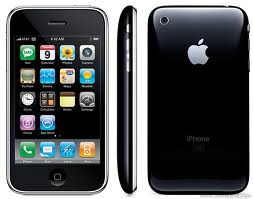
As data storage capacities of our iOS devices increase so do our ever growing demands for music, videos apps and everything else. If you are worried you will soon run out of free space on your iPhone or iPad here is a tip on how to check the available space. Why wait for an inconvenience moment like if you are taking a video of your kid on the playground or your birthday celebration to find out there isn’t enough storage space on your iPhone? Here is a way to prevent this. Rest assured this is something very easy.
To check out how much free space is left on your iPhone or iPad:
- Tap on setting app on your Springboard.
- Tap on General tab.
- Select About and then scroll down to Available to see how much free space is left.
This is all!
You now know how much space is left for your images, apps and videos and you can plan to backup and clean up some of the space. If you are a newbie you have just learnt something valuable and if you think this is something obvious you can still use it as a way to help some of your friends coming from Android into the iOS world. We will try to add such simple tips and trick from time to time for various levels of iPhone iPad users, all the way from beginning tips just like the one which you just read. If you know some useful tip or want to learn about something else, let us know and we just might write about it!
Related Posts:
Leave a comment

Follow Us!



Recent Posts
Categories
Tags
Archives
Related Sources
- iPhone Dev Team