
How to enable multitasking gestures on iPhone
If you want to add some nice new features like enabling multitasking gestures but don’t want to modify your iPhone OS you can do it now with a nice little Cydia tweak. This tweak will work on your jailbroken iPhone running iOS version 4.3.1.
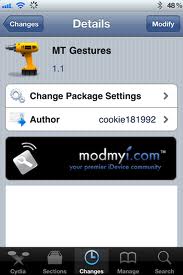

To get this tweak jailbreak your iPhone if you havent already and open Cydia. In Cydia search for MtGestures app. This app can be found in ModMyi repository. If you dont know how to add repositories into Cydia you can see the instructions here:
When you install the app tap on Winterboard app and select iPhone3,1_4.3.1_Gestures.
You are done! Reboot your iPhone and enable Multitasking Gestures by going to Settings > General Tab
If this Cydia tweak doesn’t work on your iPhone for some reason, there is another way to enable it. Do not forget: you will need to have Winterboard app in order to get this tweak to work. Some people simply don’t like WinterBoard as they claim it drains their battery much faster and acceptable. If this is so you can choose the manual modifying of your iOS in order to get multitasking gestures enabled on your iPhone. We will explain how to manually enable the tweak in a upcoming blog post. Stay tuned and you will learn how to modify and personalise your iPhone simply and quickly.
Related Posts:
Leave a comment

Follow Us!

